← Riley Fang
UX research & design

Rehabilitation App

A dual-interface app for clinicians and patients. It bridges the two sides and lets patients do rehabilitation training remotely, with XREAL checking each movement.

Role
UX research & design
Lab
HMER Lab
Human-in-Mind Engineering Research
Guidance
Hanna Choi & Dr. Jeong
Platform
iOS app + XREAL glasses
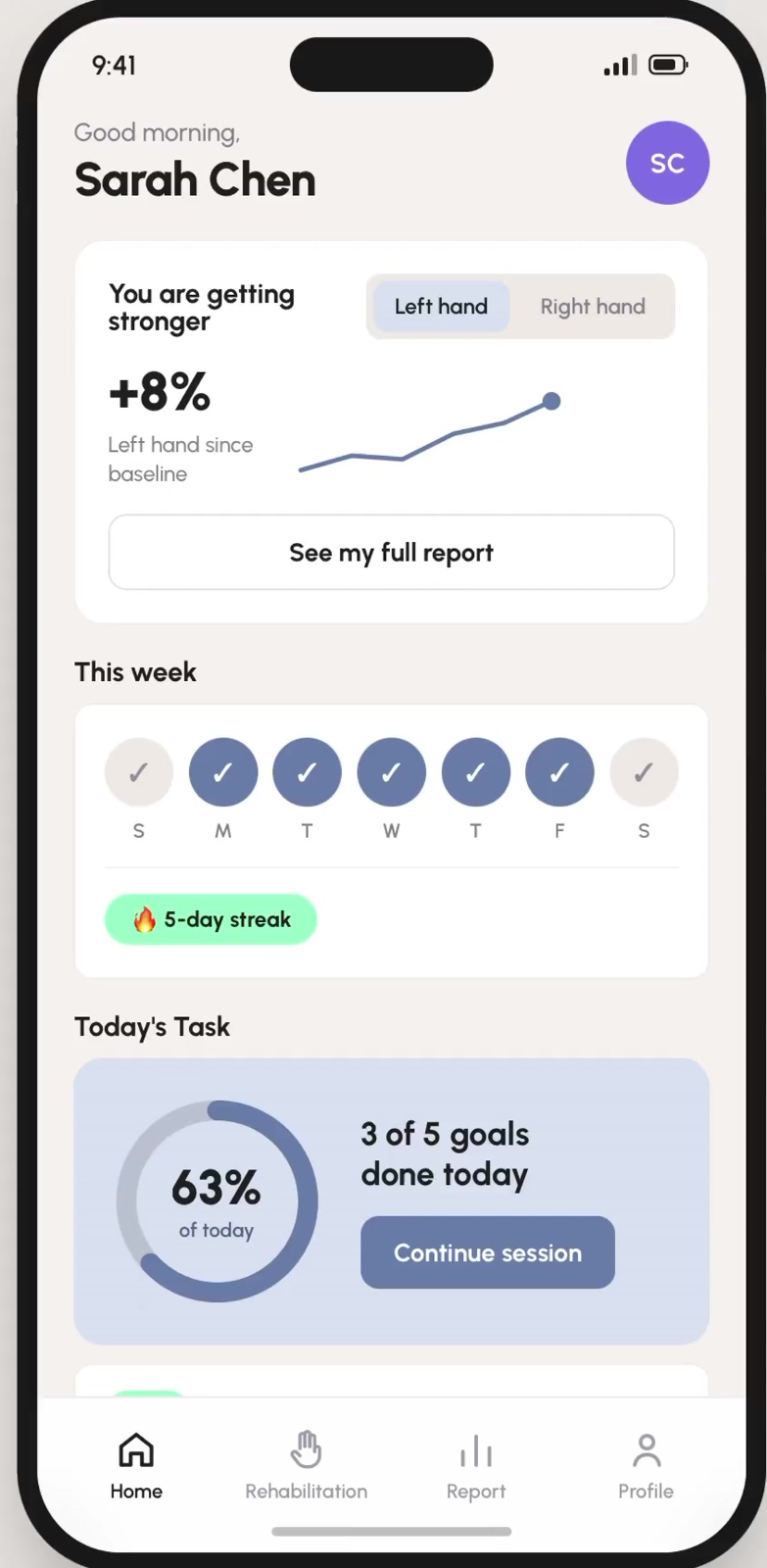
Patient home
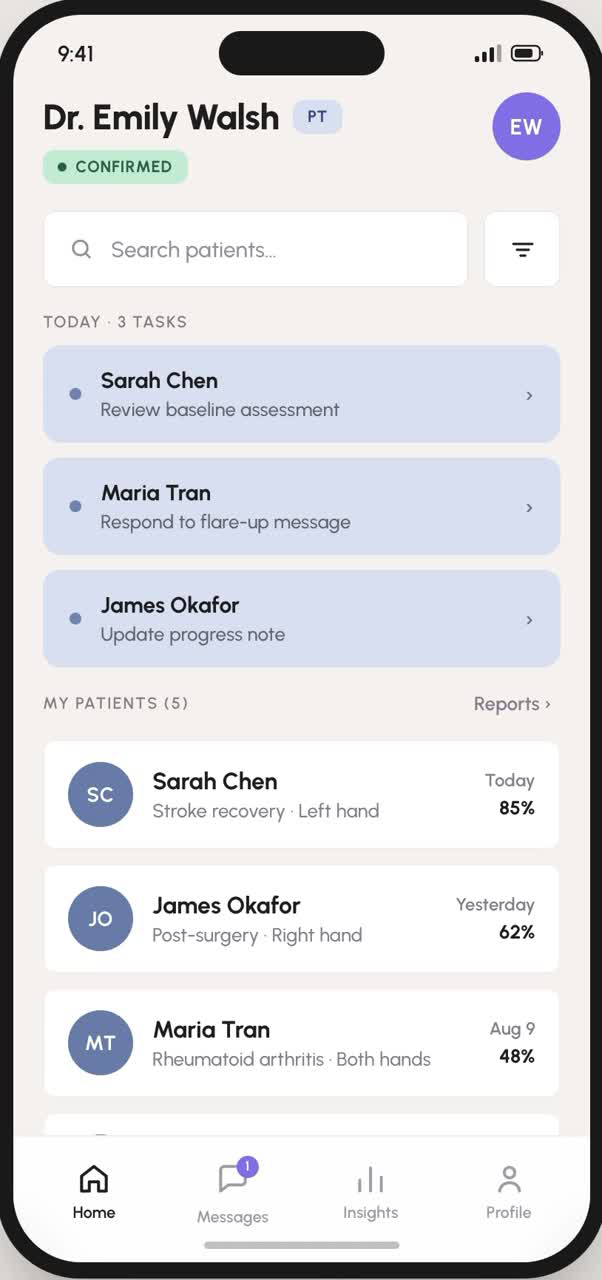
Clinician home
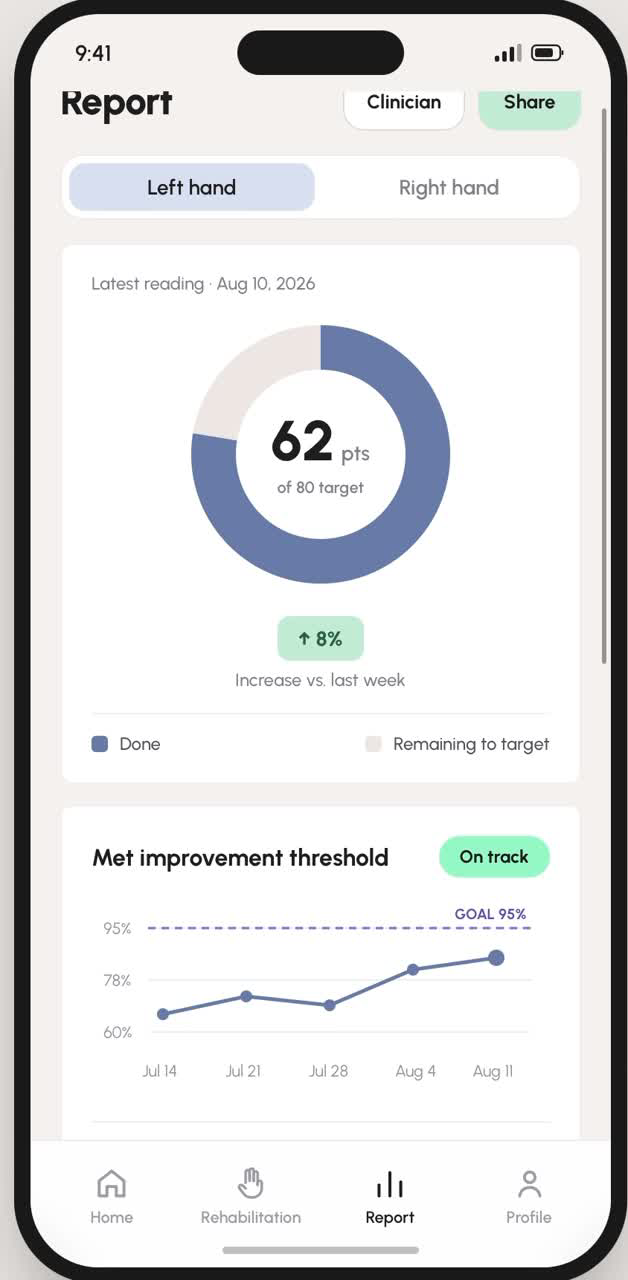
Patient report

What is this app

This is a dual-interface app for both clinicians and patients, serving as a bridge to facilitate communication between them and enabling patients to perform rehabilitation training remotely.

It aims to increase patient motivation during recovery, thereby improving recovery rates. We use XREAL to detect whether the patient’s movements are performed correctly.

Two dashboards, one app

PATIENTDashboard
Home Rehab Report Profile
CLINICIANDashboard
Home Message Insight Profile

Game flow

How a patient moves from the play button into a Lemon Squeeze session.

▶ Play button→Game description / instruction→
◆ Mode select
↓
End←Select feedback←Start playing←
Practice→Set your own goal Recommend

Home

Home
Goal achievement
Completion rate (%) · Progress ring · 3 of 5 goals today
Today’s programme
Lemon game at different difficulty levels · Opens the exercise instruction page
You are getting stronger
Left / right hand · Score in points · Weekly change (%)
This week
Current streak · Best streak
Clinician message
Latest note · Open conversation
Home screen

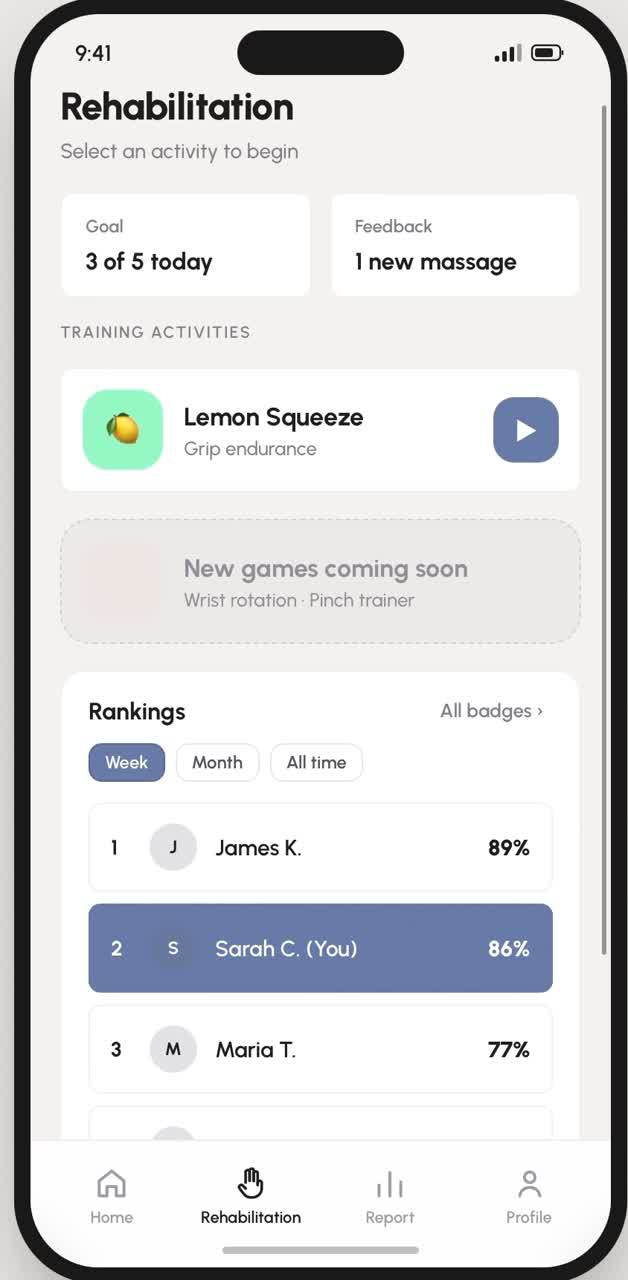
Rehabilitation

Rehabilitation
Ranking & achievement
Streak / badges · Weekly leaderboard · Goal progress bars
Goal & feedback tiles
3 of 5 today · 1 new clinician note
Training · Lemon Squeeze
Demo video · Description · Benefits · Step-by-step instructions
Rehabilitation screen

Report

Report
Latest data
Main metric (points) · Left / right hand toggle · Target range 60–80
Improvement threshold
Trend line · On-track indicator
History
Week, month, 3 months · Bar chart
Other
Personal best · Avg score this week · Total squeezes
Share
Email · PDF · Clinician portal · Copy summary link
Report screen

Tools for the care team

Home

Home
Patient roster
Condition and affected hand · Last activity and goal % · Send reminder
Search bar / filter
By name · By condition · By affected hand
Today (task queue)
3 tasks · Jump to patient or chat
Patient reports
All patients · Reps, streak, goal
Patient detail
Overview: weekly goal ring, avg + peak score, session history · Trends: grip score line, pain level over time, performance vs. baseline · Notes: clinical notes, add note · Record: patient info
Home screen

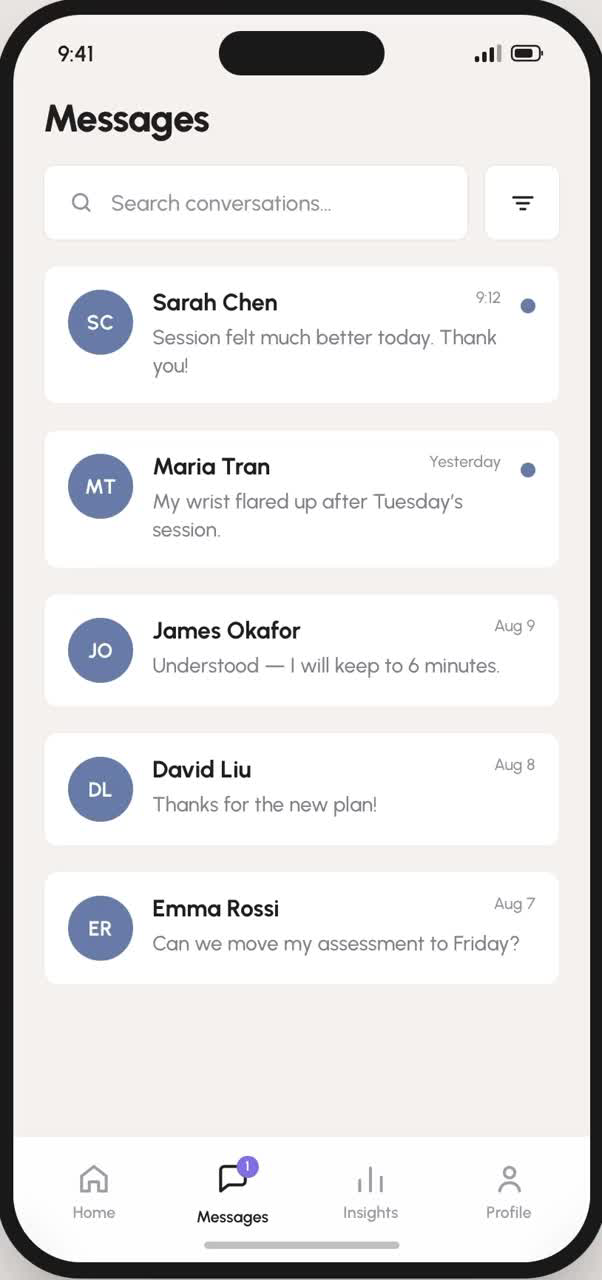
Message

Message
Plan builder
Quick presets · Easy / Regular / Hard · Squeeze count, peak %, target score · Publish plan
Conversation list
Unread markers · Search by name or text
Chat box
Threaded conversation · Quick replies: six canned clinical responses · Set goal: opens the plan builder
Message screen

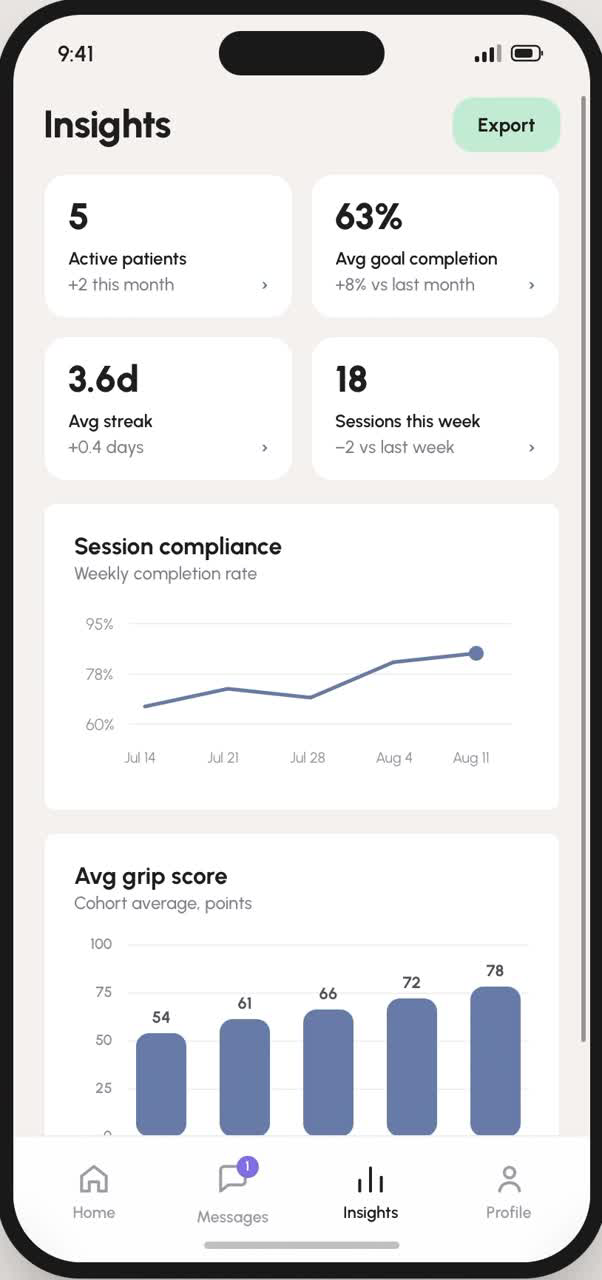
Insight

Insight
All patients’ information
Active patients · Avg goal completion · Avg streak · Sessions this week
Score bar graph
Cohort average, points
Completion rate
Weekly compliance line
Performance detail
By treatment category · Patients, adherence, change
Insight screen

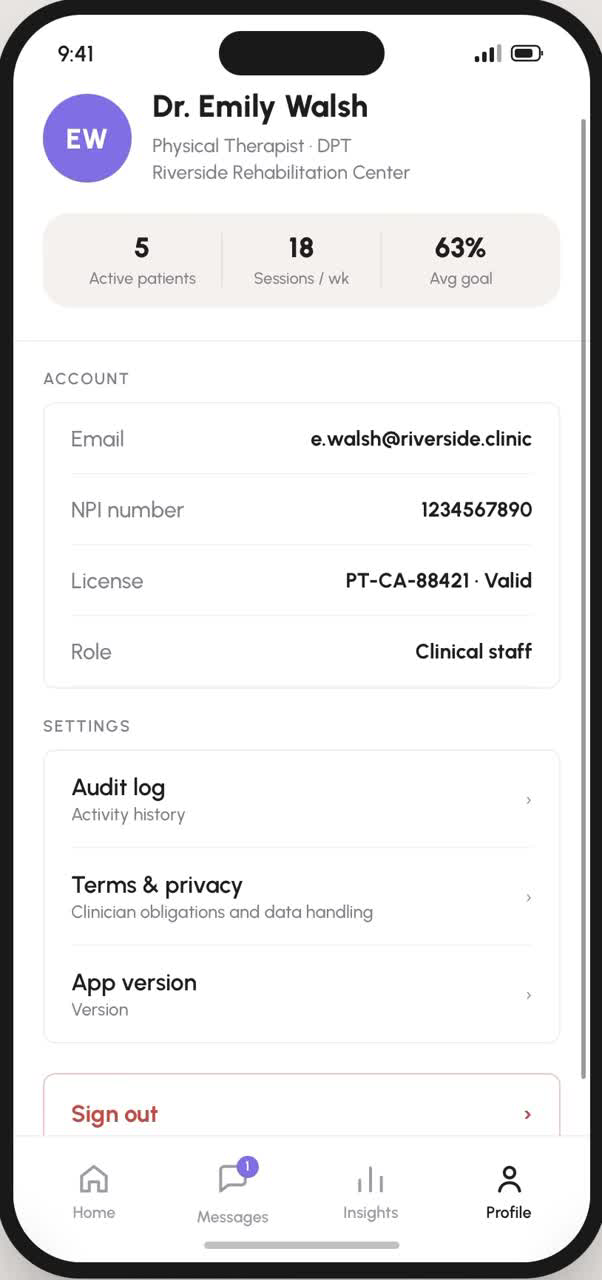
Profile

Patients see their recovery stats and pair their XREAL glasses; clinicians see license details, an audit log and their clinical obligations.
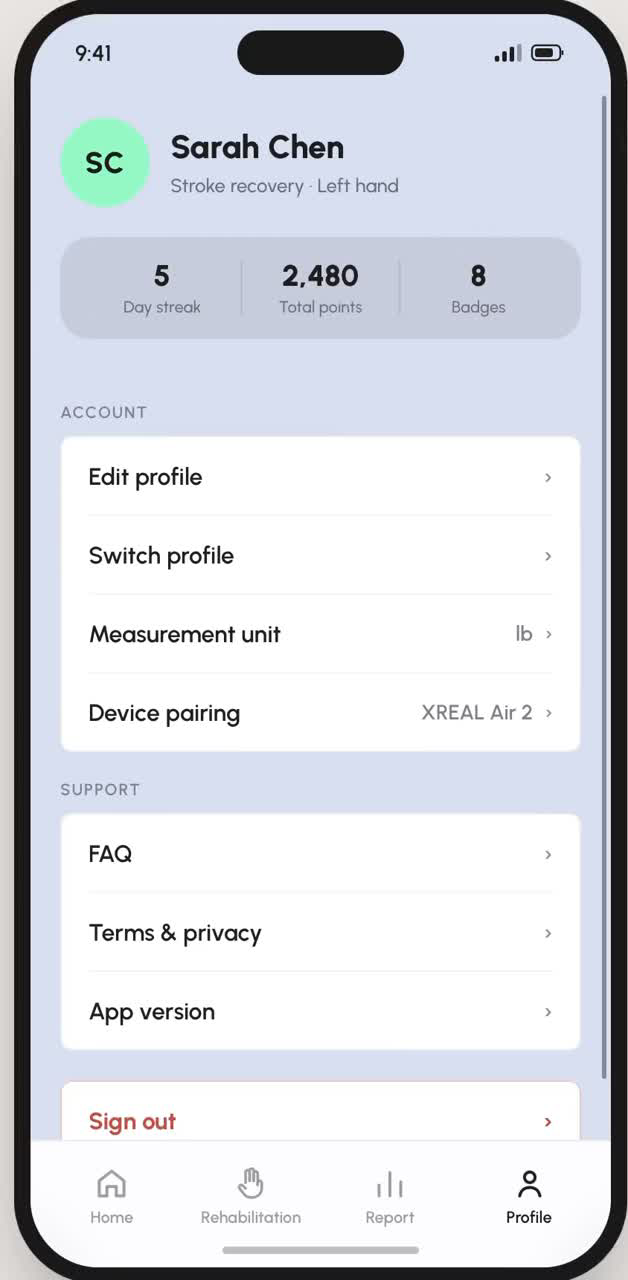
Patient profile
Patient
Clinician profile
Clinician

Where two sides connect

PATIENT→CLINICIAN
Session results

Completing a session sends squeezes, peak %, points and the difficulty rating into the patient’s record and session history.

CLINICIAN→PATIENT
Prescribed plan

Publishing a plan sets the level and targets that the patient’s Recommended mode runs against.

BOTH→BOTH
Messaging

One thread: the patient writes in Clinician feedback, the clinician answers from Messages, optionally via quick replies.

CLINICIAN→PATIENT
Reminders & notes

Send reminder nudges the patient to train; clinical notes stay on the clinician side and shape the next plan.

Key findings after testing

01
Report charts needed more explanation

Testers weren’t sure how to read the trend line and history bars, so each chart now has a “What this shows” panel.
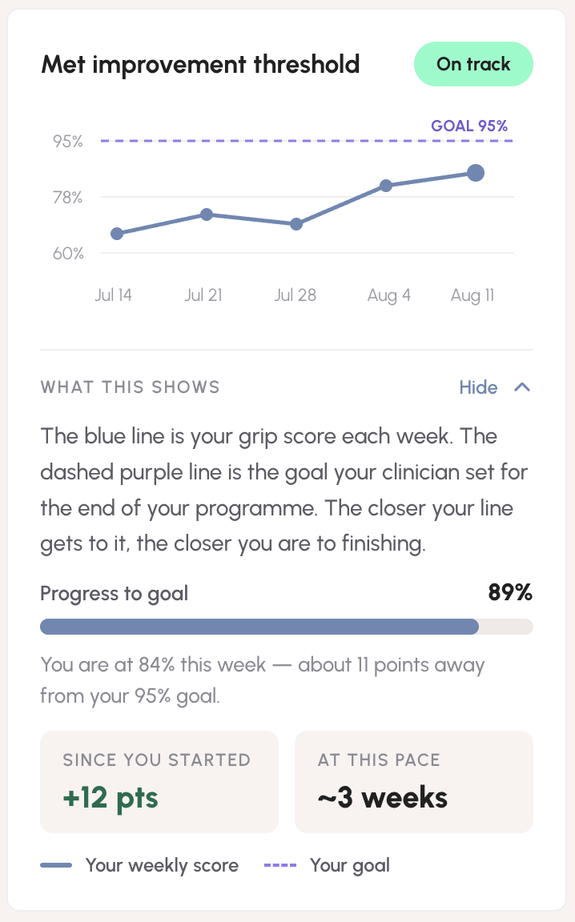
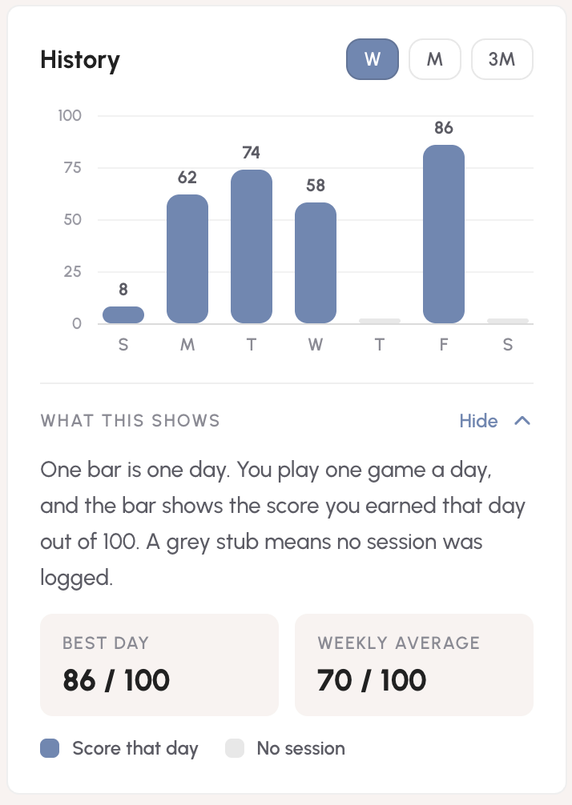
Improvement threshold chart with explanation
Improvement threshold
History chart with explanation
History
02
Add a baseline test and a monthly test for the Lemon game

A weekly Baseline Game now sits under Today’s Task, giving a consistent reference point for progress.
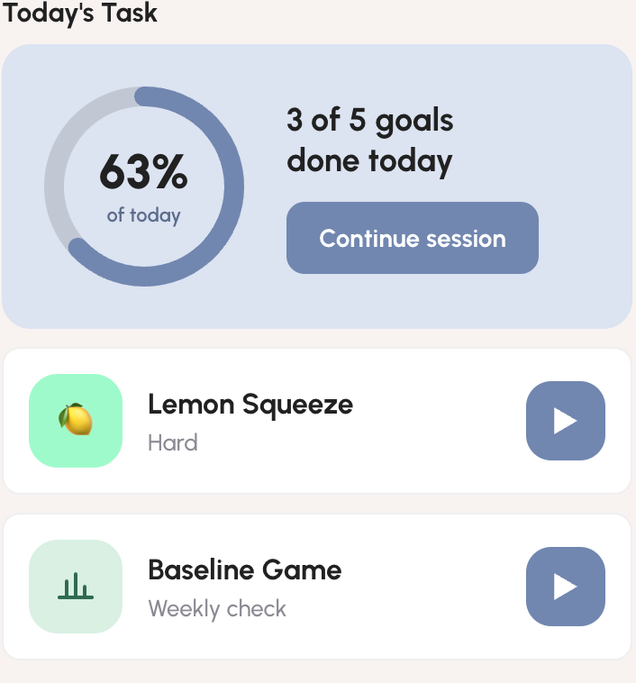
Today’s task with the Baseline Game
Today’s Task + Baseline Game